
$20.10+
Ableton REcho ver.6.5
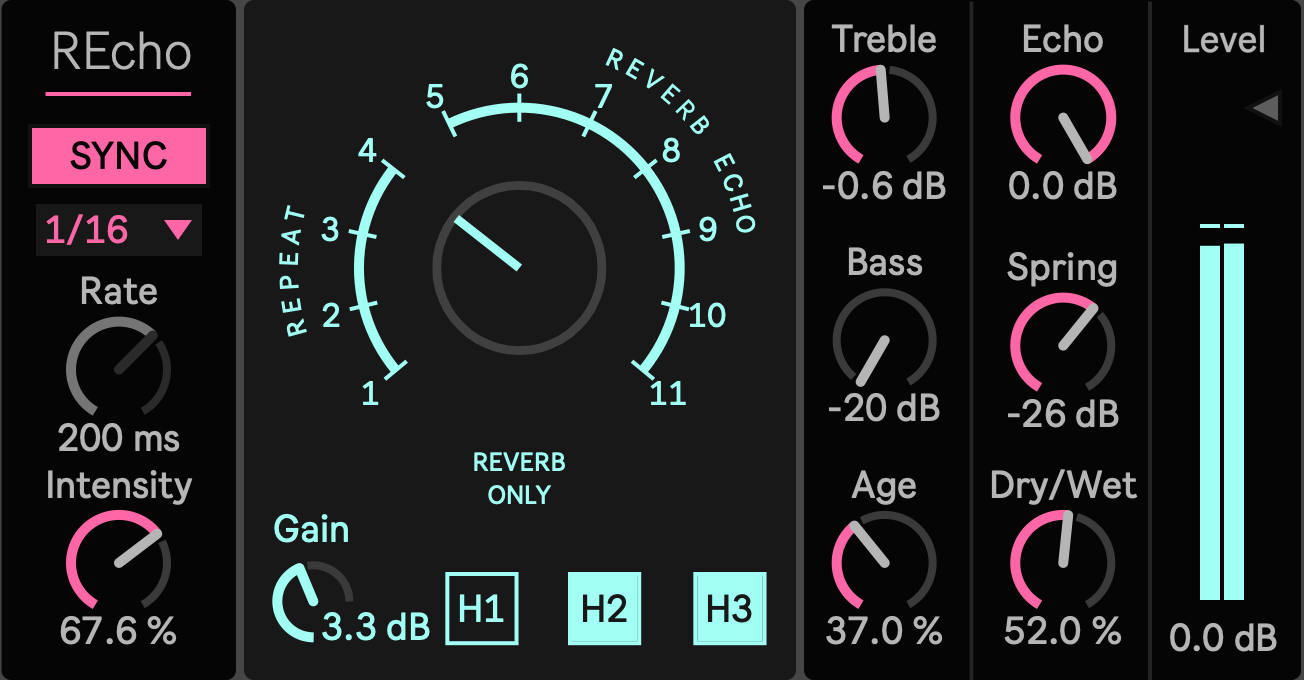
Max for Live Device (.amxd file) : Physically Modeled Tape Echo Movement for Ableton Live
Most delays repeat the sound.
REcho models what happens when the repeat passes through a tape echo system: moving playback time, aging tone, head distance, feedback pressure, tape saturation, and spring resonance.
It is a Max for Live tape echo device for Ableton Live, inspired by the three head tape echo and spring reverb workflow associated with the RE 201 tradition.
This is not a claim of an official hardware recreation. It is a production focused physical behavior model: the parts that make tape echo feel alive are brought into a device you can use directly inside a Live set.
If a clean delay feels too flat, too still, or too separate from the track, REcho gives the repeat a body.
A Repeat That Changes on the Way Back
REcho is built for echoes that do not return as clean copies.
The repeat can lose brightness. It can drift slightly in time. It can pick up saturation. It can sit farther behind the source. It can move differently depending on which playback heads are active. It can collect spring color and become part of the space around the sound.
That behavior is the reason to use it.
Put it on a vocal when the echo should feel recorded into the performance, not pasted on afterward.
Send a snare, rim, or clap into it when the hit needs to open into dub feedback.
Use it on synths when the repeat should create a second pattern behind the sequence.
Use it on samples when the sound needs to feel older, softer, and less digital.
REcho is for producers who want delay to behave like a system, not a grid.
Physical Behavior, Not Just Vintage Tone
REcho does not rely on a single dark filter to suggest age.
The device models several tape echo behaviors working together: wow and flutter for time movement, tape age for tone loss and instability, playback head differences for distance, saturation for density, feedback shaping for controlled buildup, and spring processing for the narrow mechanical space that belongs to this kind of echo.
This is what makes the device feel different from a normal synchronized delay.
The repeat is not only delayed. It is changed.
The Three Head Workflow
REcho is centered around three playback heads.
Head 1 gives the closest response. It is useful for short echo, vocal thickening, guitar slap, percussion movement, and tight rhythmic repeats.
Head 2 sits farther away. It gives the repeat more space and helps create patterns that answer the source instead of simply doubling it.
Head 3 is longer and darker. It works for deeper trails, slower echo movement, dub sends, transitions, and ambient parts.
Mode selects which heads are active and whether spring reverb is included. Single head settings keep the echo focused. Multi head settings create more movement. Full head combinations are suited to sparse arrangements, feedback gestures, and moments where the echo should become part of the arrangement.
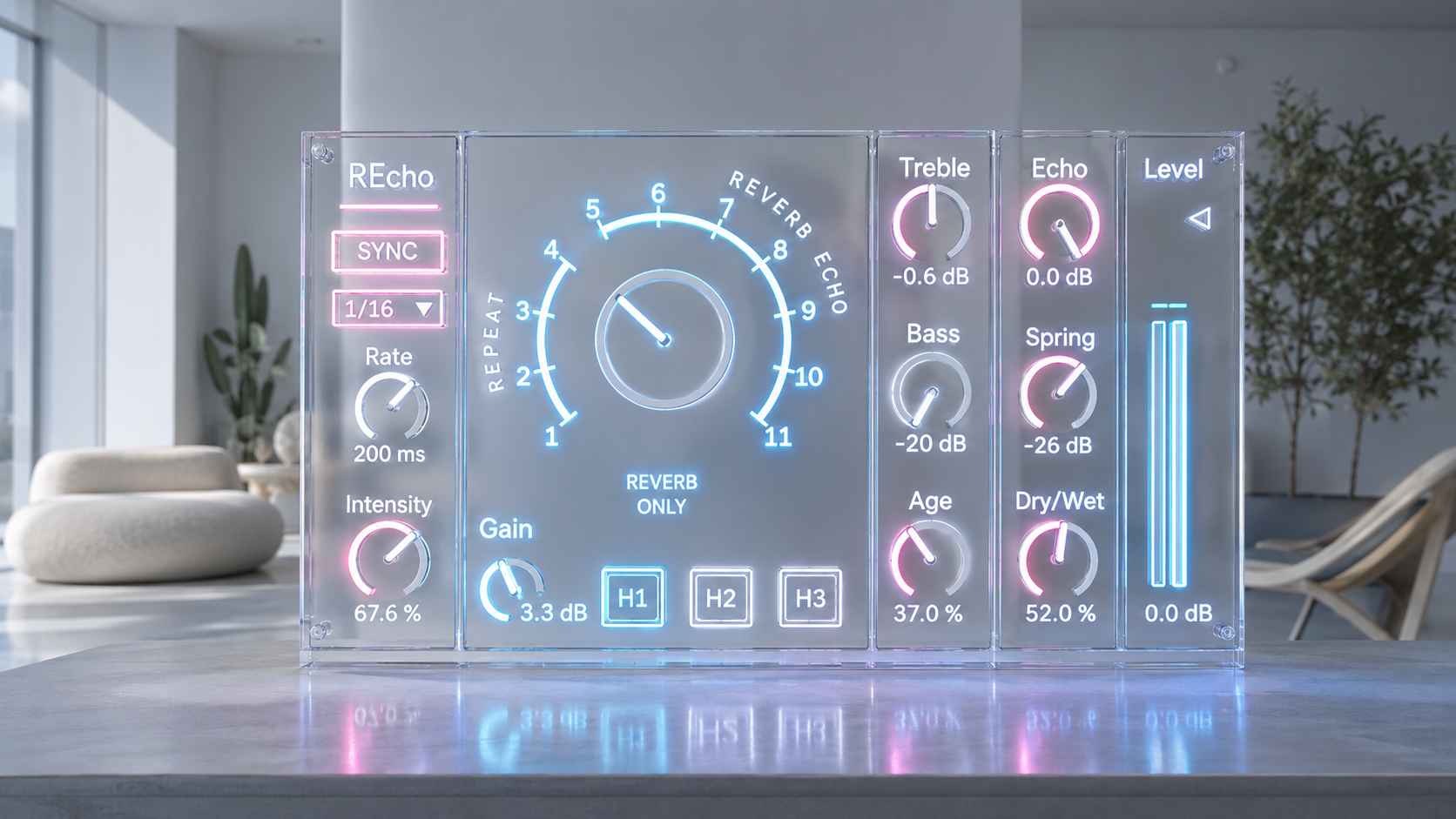
Spring That Belongs to the Machine
The spring in REcho is part of the echo system, not an extra reverb placed after the fact.
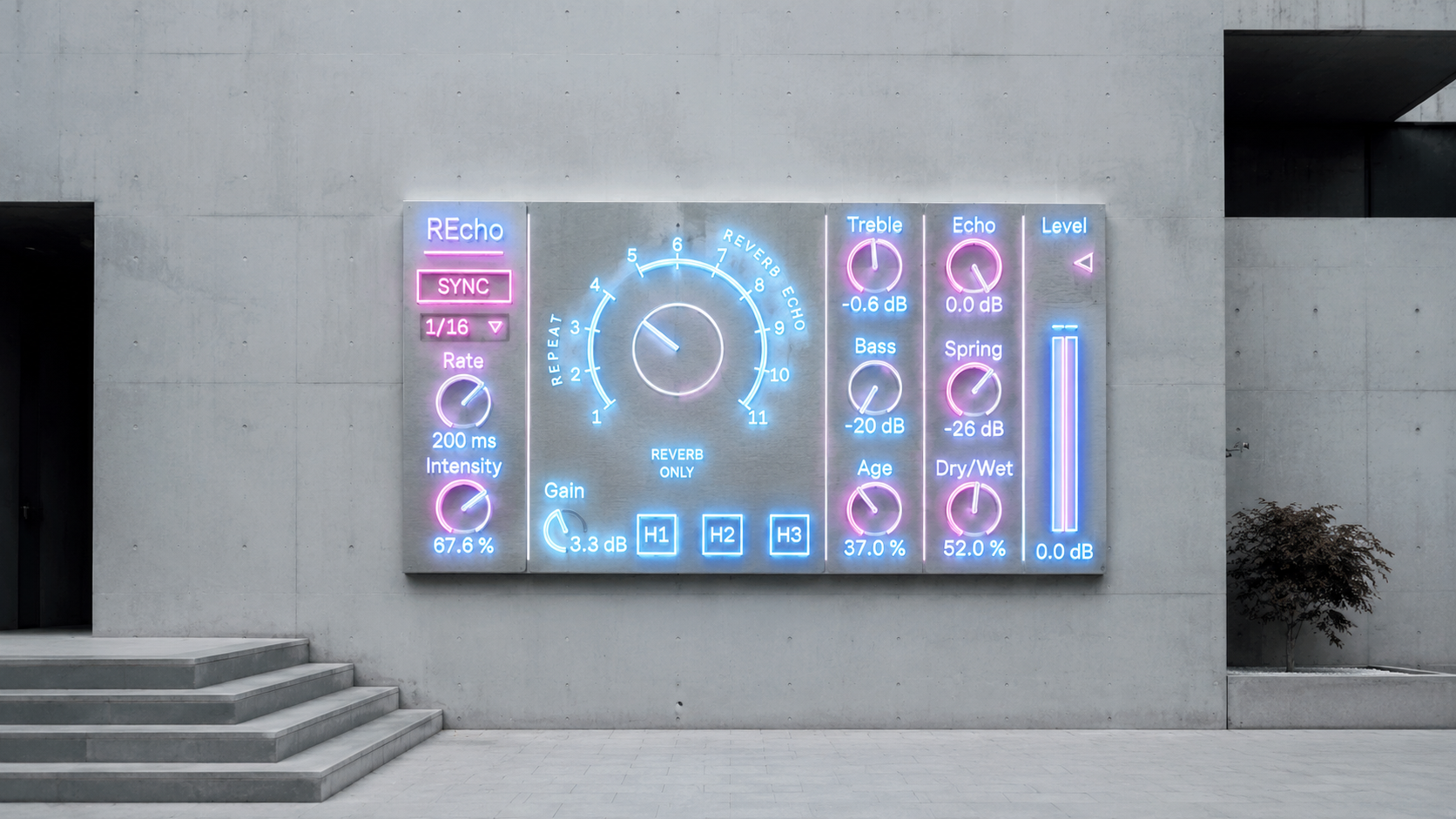
Mode 0 gives you Reverb Only, so the spring character can be used without delay repeats. This is useful for dry vocals, mono synths, samples, and sounds that need a narrow old room rather than an obvious echo trail.
Other modes combine the heads with spring. A short head with spring can give vocals and guitars a compact recorded depth. Multiple heads with spring can create a denser echo field for dub, ambient sections, and transitions.
The spring is not designed as a huge modern reverb wash. It is designed to give the echo a tighter, older, more mechanical space.
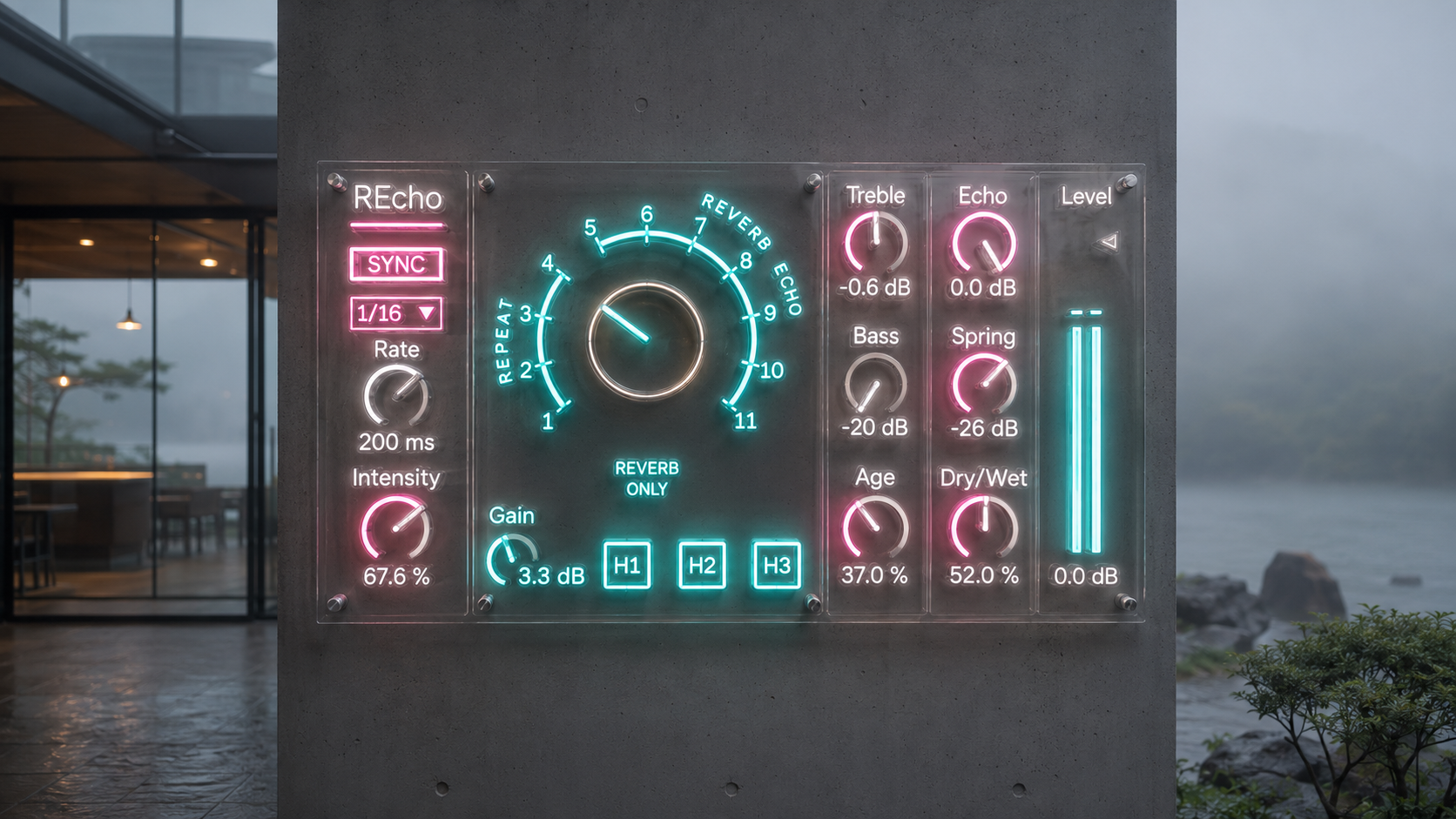
Age as a Physical Condition Control
Age is one of the main controls in REcho.
It changes the condition of the repeat rather than only changing brightness. Lower settings keep the echo clearer and more controlled. Medium settings soften the top end and move the repeat behind the source. Higher settings make the echo darker, less stable, slightly noisier, and more smeared, especially on the later heads.
Use lower Age when vocals, leads, or melodic parts still need definition.
Use medium Age when you want tape depth without losing the phrase.
Use higher Age when samples, keys, dub throws, and background textures should feel older and farther away.
Age is where REcho starts to feel less like a delay effect and more like a modeled playback path.
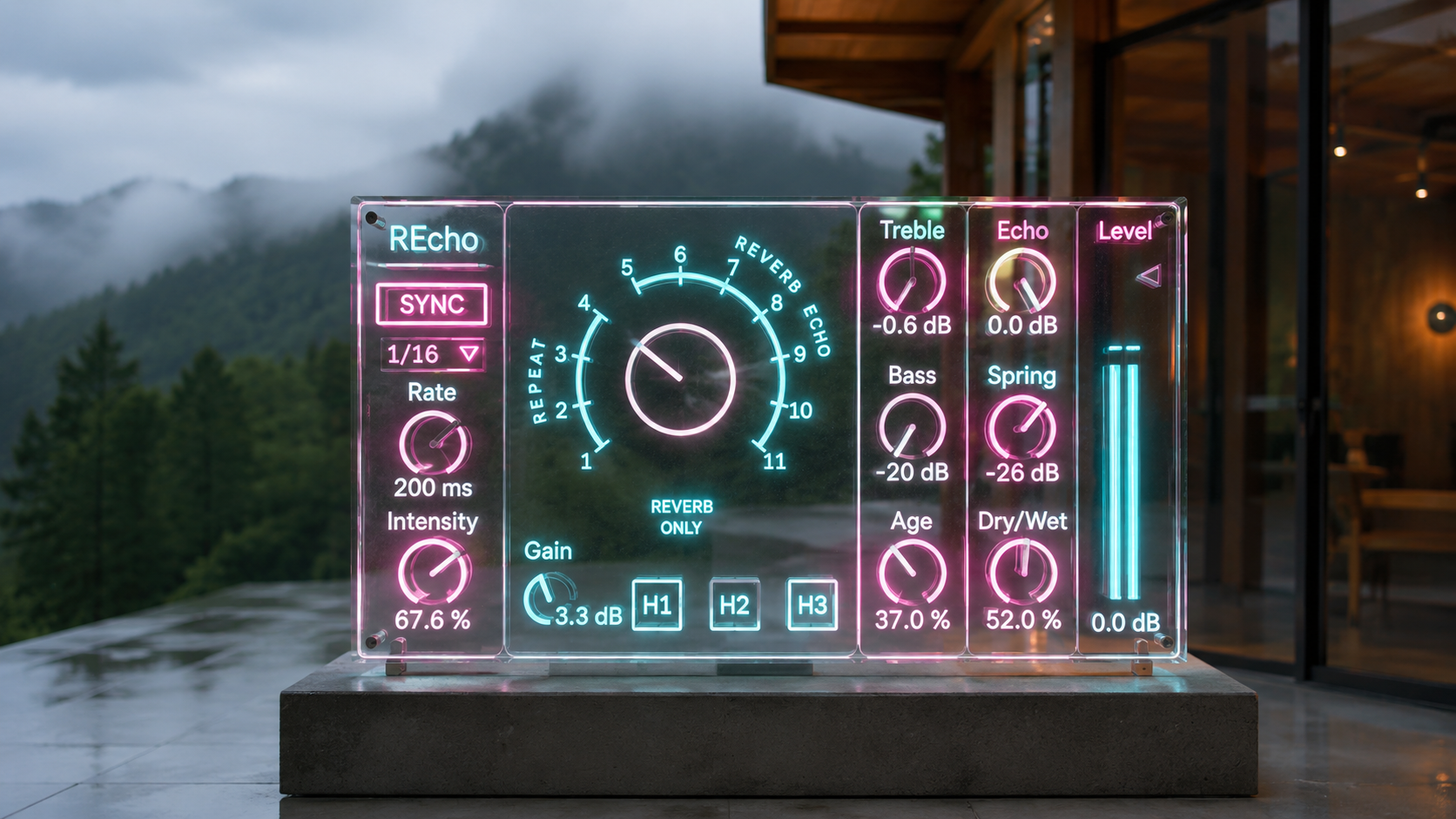
Tempo Sync Without Flattening the Echo
REcho can run freely with Rate or lock to the project tempo with SYNC and Note.
Short values work for slap echo, vocal throws, percussion repeats, guitar movement, and tight rhythmic patterns. Longer synced values work for breakdowns, ambient sections, sustained guitar or synth parts, transitions, and endings.
The point is not to turn the device into a sterile tempo delay. The point is to keep timing useful while the repeat still moves, darkens, saturates, and responds like a tape echo system.
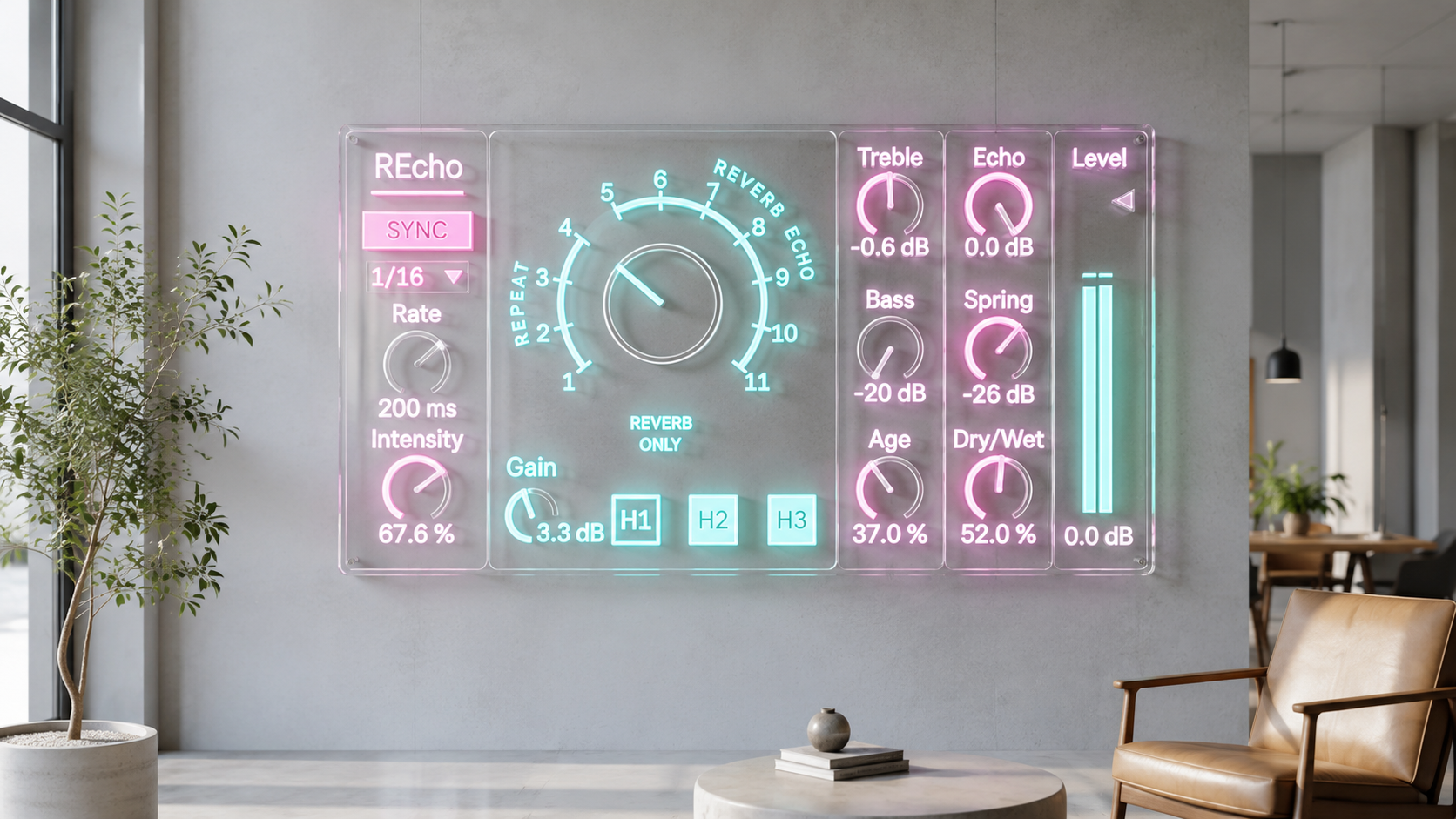
Feedback That Can Be Played
Intensity controls how much echo returns into the feedback path.
Low settings give short controlled repeats. Middle settings create trails that sit naturally in a track. High settings move toward self oscillation and are useful for dub feedback, live gestures, builds, and transition effects.
The upper range is designed to be musical, but it should still be treated like a real feedback control. Start with Echo and Level lower than usual, then raise Intensity until the device begins to push back against the track.
This is where REcho becomes more than an insert effect. It becomes something you can perform.
Controls Made for Placement
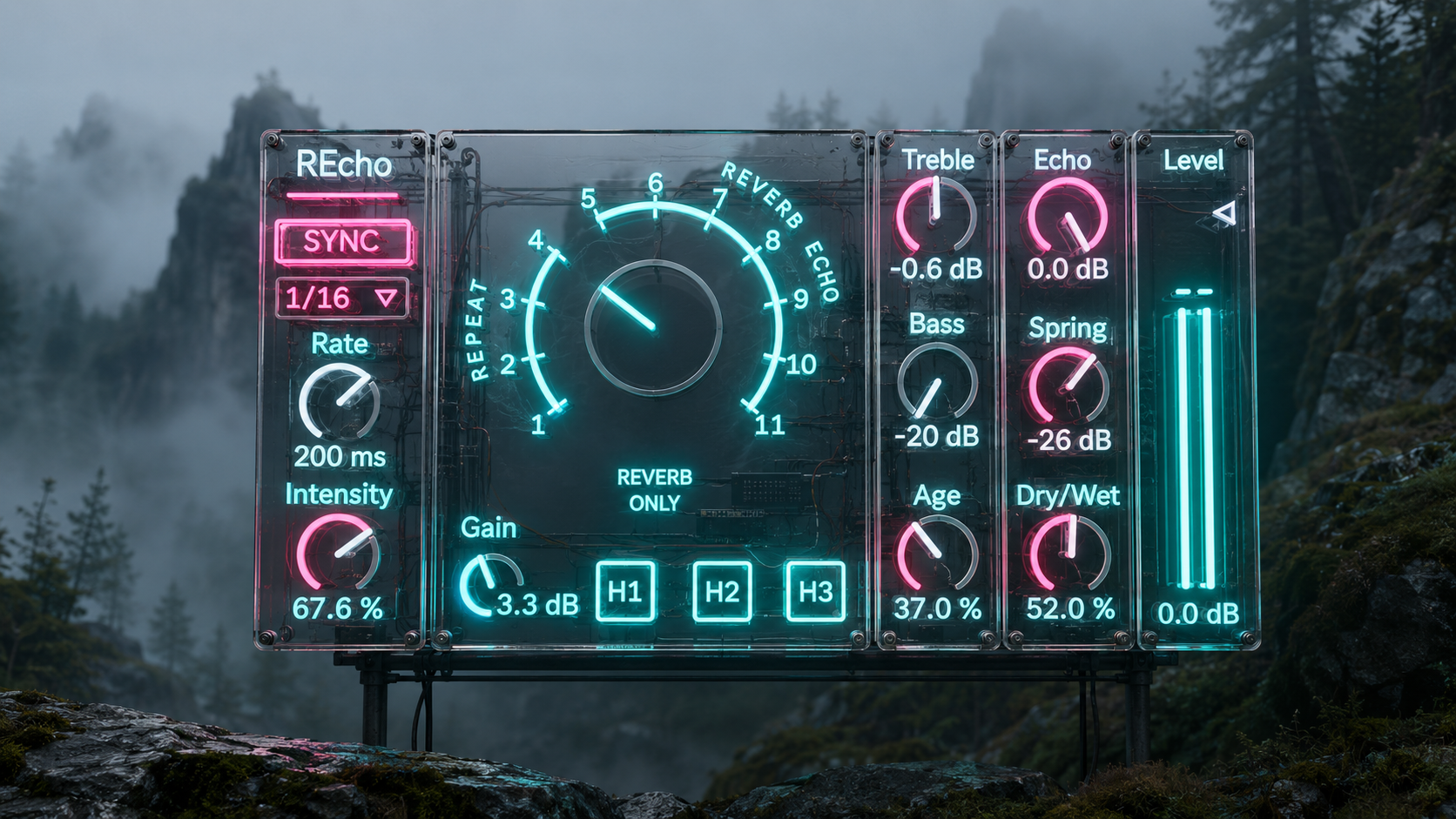
REcho gives you direct control over where the echo sits in the mix.
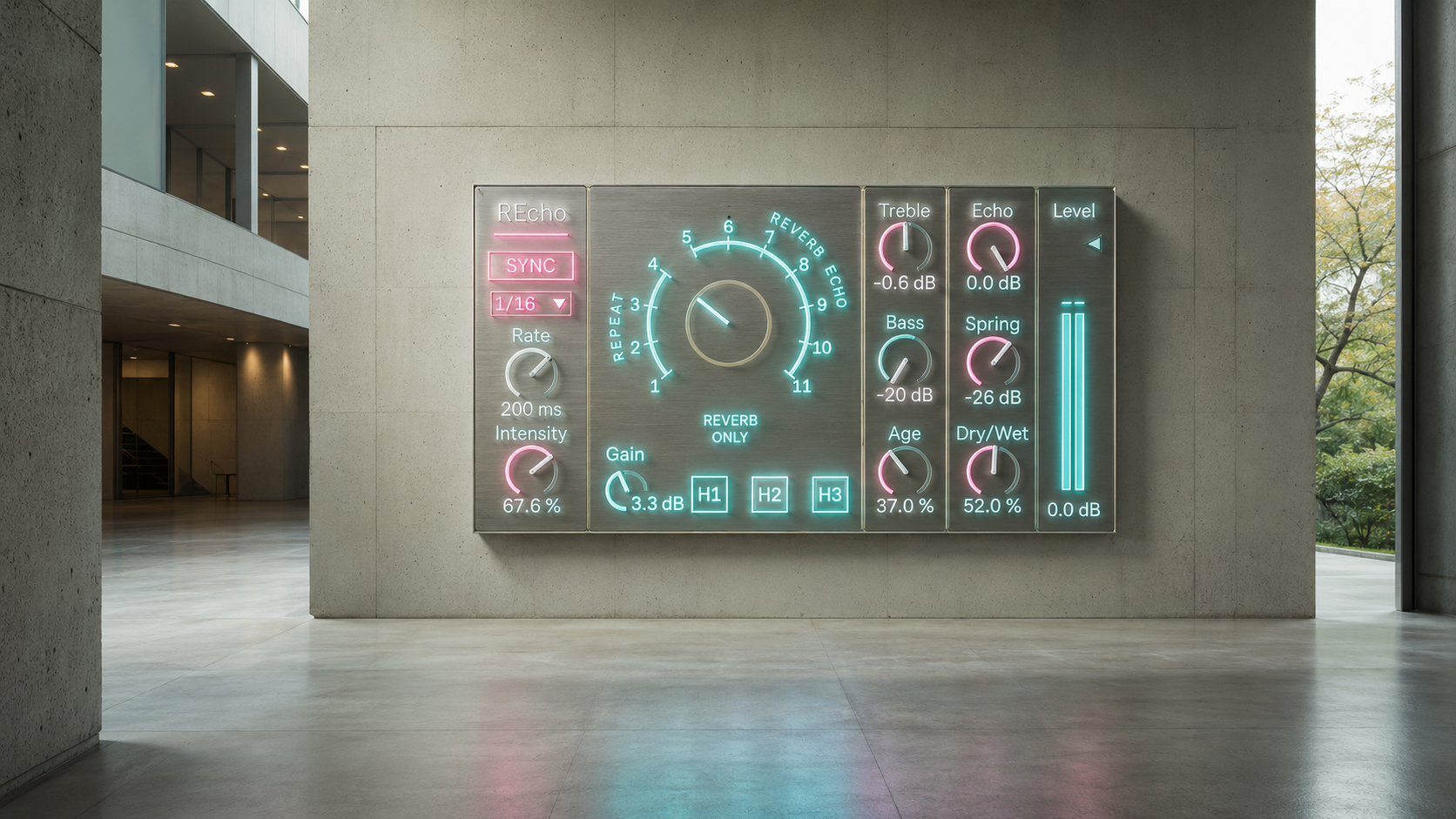
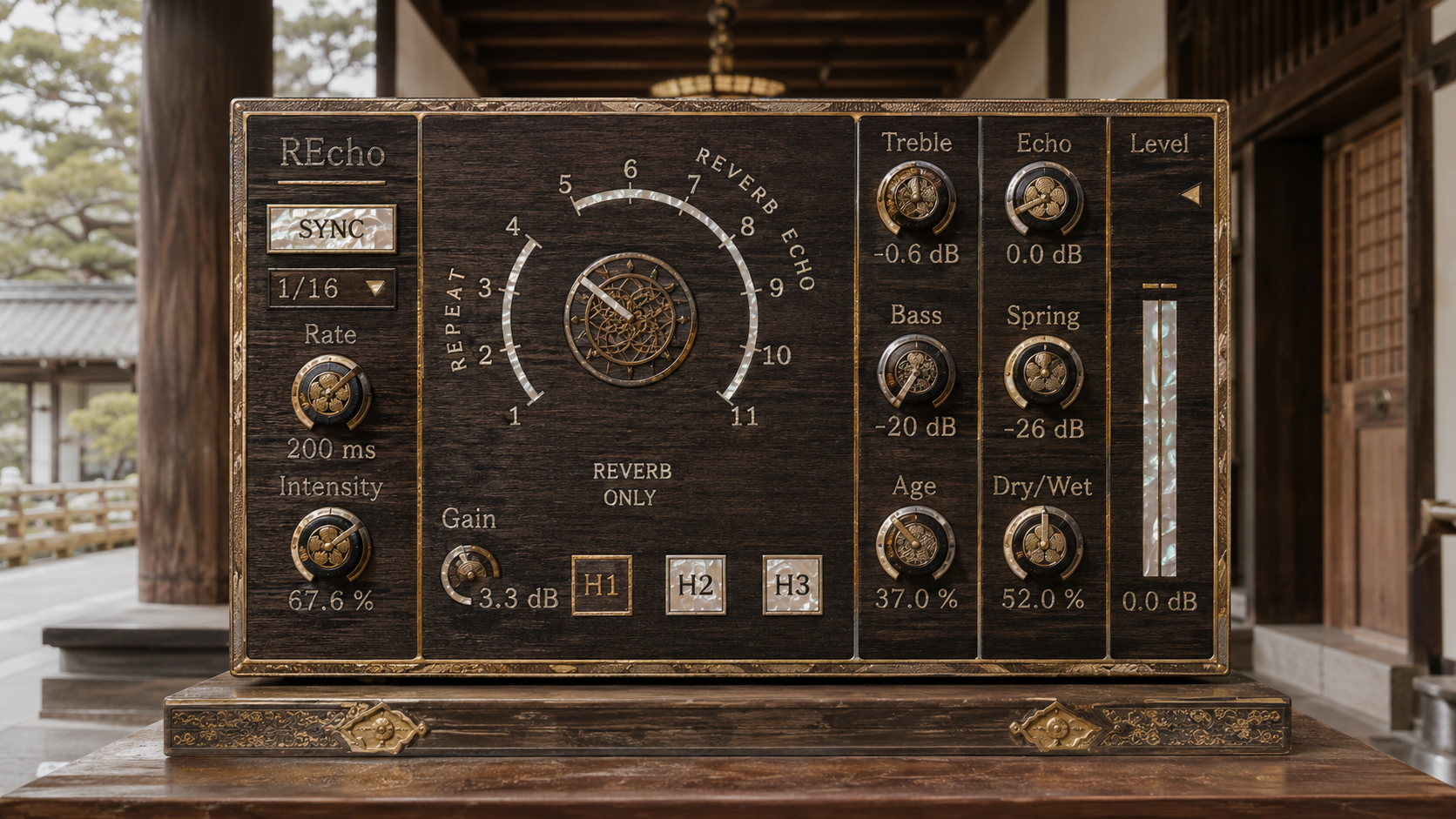
Echo sets the repeat level. Intensity sets how long the repeat keeps returning. Age changes the tape condition. Bass controls low end weight in the echo path. Treble moves the repeat forward or pushes it back. Spring adds the mechanical reverb character. Dry and Wet blends the processed signal with the source. Gain changes how hard the sound enters the tape stage. Level controls the final output.
These controls make REcho useful as a subtle insert, a return effect, an automation target, or a performance tool.
Practical Uses
On vocals, start with a short head, low Intensity, modest Echo, and light Age. The result can add depth without making the delay obvious.
On drums, send a snare, rim, clap, or percussion hit into a synced multi head mode. Raise Intensity until the echo starts to answer the groove.
On guitars, combine a short head with spring for compact amp like space, or use longer heads for trails between phrases.
On synths, use SYNC and Note to build a second rhythmic layer behind the sequence. Add Age when the repeat needs to sit farther back.
On samples, use higher Age and darker Treble to make the sound feel older, softer, and more distant.
On ambient parts, breakdowns, and endings, use longer synced notes with controlled Bass so the echo can extend without clouding the low end.
Why Version 6.5 Matters
REcho 6.5 focuses on the parts that make this kind of physical echo behavior useful in an actual session.
Long sync behavior is designed so slower note values can remain usable instead of limiting the device to short echo.
Mode 0 is preserved as Spring only.
High Intensity settings are shaped for musical feedback use.
Head 2 and Head 3 are treated as later, darker, more distant responses rather than simple copies of Head 1.
The result is a device that can handle subtle depth, rhythmic echo, long trails, spring only space, and feedback performance from the same interface.
Availability and Updates
If you purchased REcho on Sellfy, this update is included at no additional cost. Use your original Sellfy purchase link or download page to access the latest version.
New customers can purchase REcho from the Sellfy product page.
REcho is an independent Max for Live device inspired by classic tape echo workflows. RE 201 and Space Echo are used only as historical style references.
v.6.5 ... Improved overall physics modeling fidelity. (2026/7/6)
v.6.2 ... Fixed mode bug. (2026/6/14)
v.6.1 ... Improved overall physics modeling fidelity. (2026/5/26)
v.6.0 ... Migrated to physical modeling.. (2026/5/8)
ver.5.0 ... Totally sound engine updated.
ver.2.0 ... Spring reverb added.
ver.3.0 ... UI updated, tone tuned.
ver.3.0.1 ... Initialize bug fixed.
ver.4.0 ... UI updated, echo algorithm updated, spring paralleled, Dry/Wet added.
ver.4.1 ... Echo tone bug fixed.
ver.4.5 ... Apple silicon, Live 12 support
Delay
2290 Delay https://akihikomatsumoto.sellfy.store/p/ableton-2290-delay/
REcho https://akihikomatsumoto.sellfy.store/p/abletonrecho
Analog Delay https://akihikomatsumoto.sellfy.store/p/abletonanalogdelay/
Bouncing Delay https://akihikomatsumoto.sellfy.store/p/abletonbouncingdelay
Shoegazer Reverse Gate https://akihikomatsumoto.sellfy.store/p/abletonshoegazerreversegate/
VDB Delay https://akihikomatsumoto.sellfy.store/p/abletonvdbdelay
Reverse Delay https://akihikomatsumoto.sellfy.store/p/abletonreversedelay/
Over Delay https://akihikomatsumoto.sellfy.store/p/ableton-over-delay/
D7 Tap Delay https://akihikomatsumoto.sellfy.store/p/ableton-d7-tap-delay/
Color Delay https://akihikomatsumoto.sellfy.store/p/abletoncolordelay/
Graneon https://akihikomatsumoto.sellfy.store/p/ableton-graneon/
DD-2 Delay https://akihikomatsumoto.sellfy.store/p/ableton-dd2-delay/
Akihiko Matsumoto
Study Site https://akihikomatsumoto.com/study/
Ableton M4L, Serum Preset Store https://akihikomatsumoto.com/download/
Sample Pack https://akihikomatsumoto.sellfy.store/sample-pack/
Bandcamp https://akihikomatsumoto.bandcamp.com
Ableton Skin https://akihikomatsumoto.sellfy.store/p/ableton-skin-pack/
Spotify https://open.spotify.com/artist/1tZMmxzZbvNu6klyKXa0L1?si=2JZaFeLbREi-UownD8POSg